I tested AI to generate SaaS onboarding emails — here’s what actually works (and what doesn’t)
Most SaaS onboarding emails fail — not because of the product, but because they feel generic. I tested AI tools to generate onboarding emails, compared the results, and made small edits that completely changed the outcome.
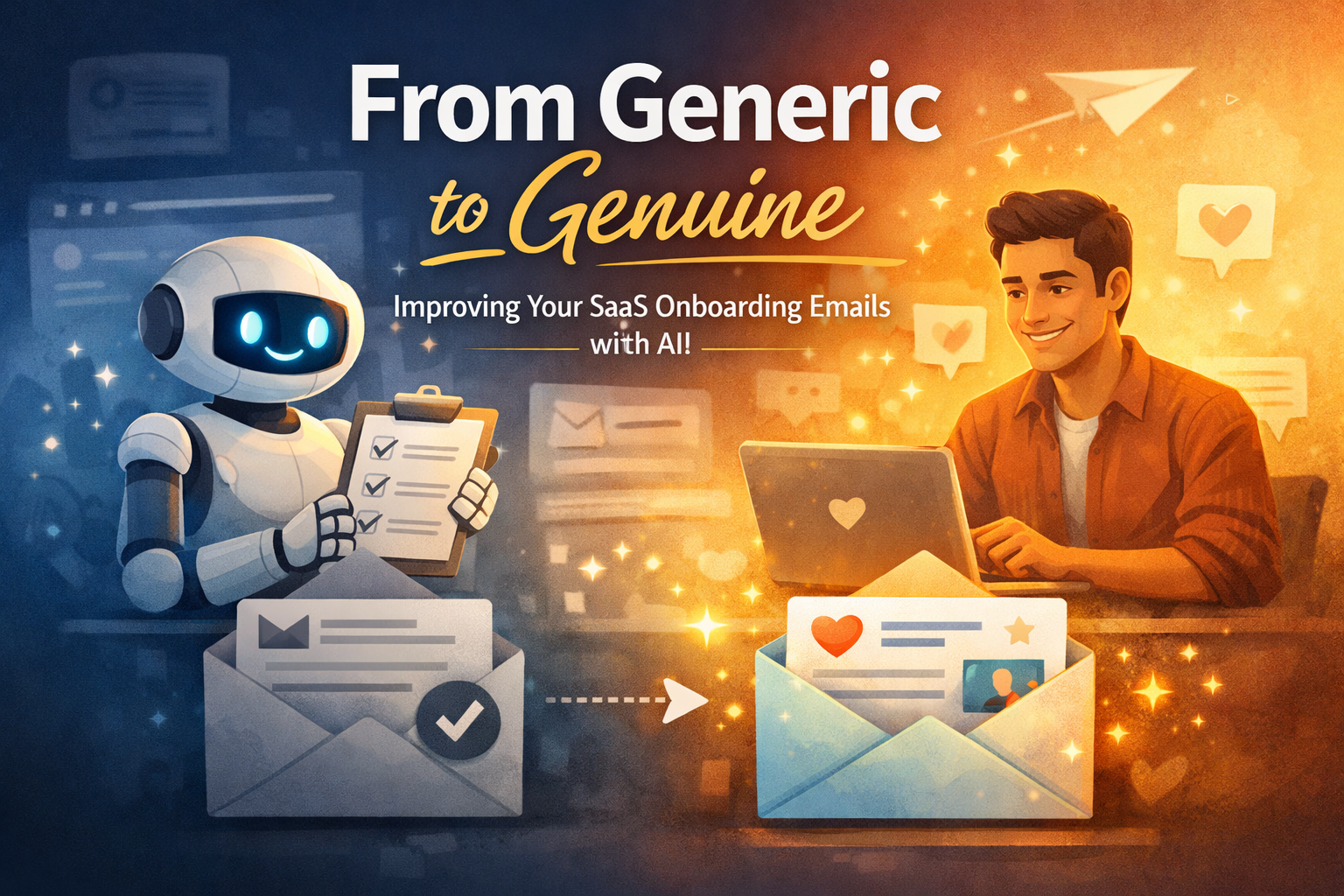
You worked hard to build your product — days or even weeks refining the idea, building features, and maybe investing your own savings into it.
Then the first users finally start signing up.
At that point, it feels like things should start moving.
But instead, something frustrating happens: most of them just… disappear.
They sign up, maybe open the product once, and then you never hear from them again.
One of the most common reasons for this is something many founders don’t pay enough attention to: onboarding emails.
Not because they’re complicated — but because they’re easy to underestimate.
A lot of the focus goes into getting users to sign up. Much less goes into what happens after that moment.
And that’s often where the real drop-off begins.
In early-stage SaaS, onboarding emails are one of the highest-leverage systems you can build.
The issue is rarely the product itself.
It’s what happens — or doesn’t happen — in the inbox right after someone signs up.
What is a SaaS onboarding email sequence?
An onboarding email sequence is a set of automated emails sent to new users after signup, designed to guide them toward their first meaningful outcome.
That could be activating a feature, completing a setup step, or simply understanding how the product fits into their workflow.
It’s easy to confuse this with a welcome email, but they’re not the same thing.
A welcome email is just a single message.
An onboarding sequence is a system designed to move users forward — step by step.
And when that system is missing or poorly designed, activation suffers quietly in the background.
🧪 Testing AI for onboarding emails
To understand how useful AI actually is for onboarding emails, I ran a simple test.
I used the same scenario across different tools:
A SaaS product called TaskFlow, a project management tool for freelancers, and a new user who just signed up for a free trial.
First
First attempt: raw AI output
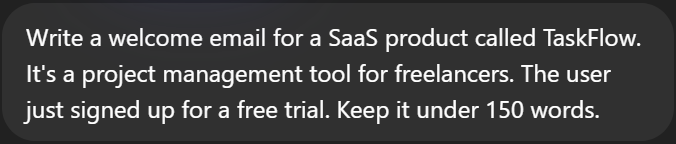
I started with ChatGPT using a very basic prompt:
The result was… decent, but generic.
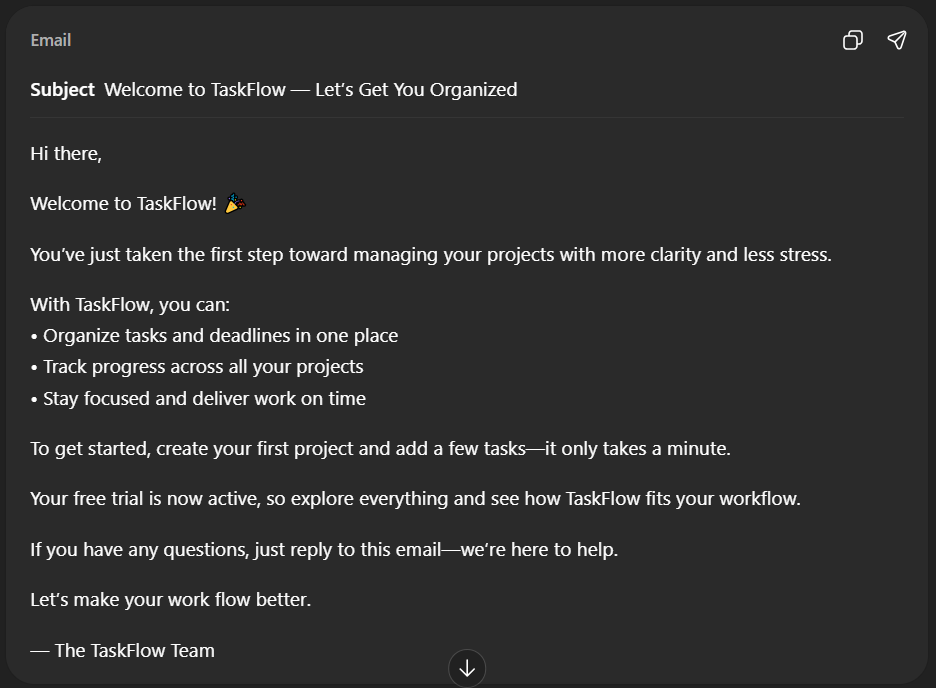
It checked all the boxes, but it felt like something you’ve seen before… to me it's clear that it's generated and AI there's no soul in it and no warmness.
👉 This is where most founders stop — and it shows in their onboarding.
Second attempt: adding context
Next, I tried the same scenario with Gemini, but this time I added more context to the prompt:
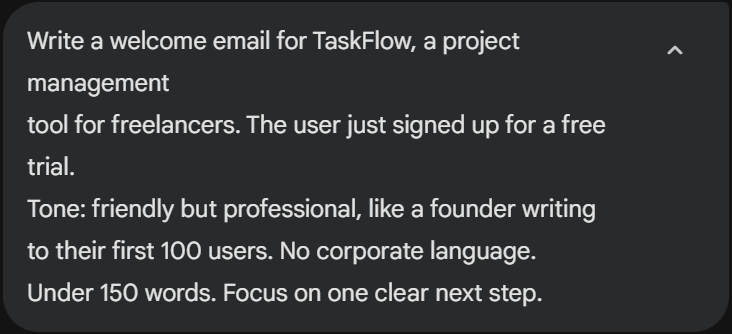
The difference was immediately noticeable.
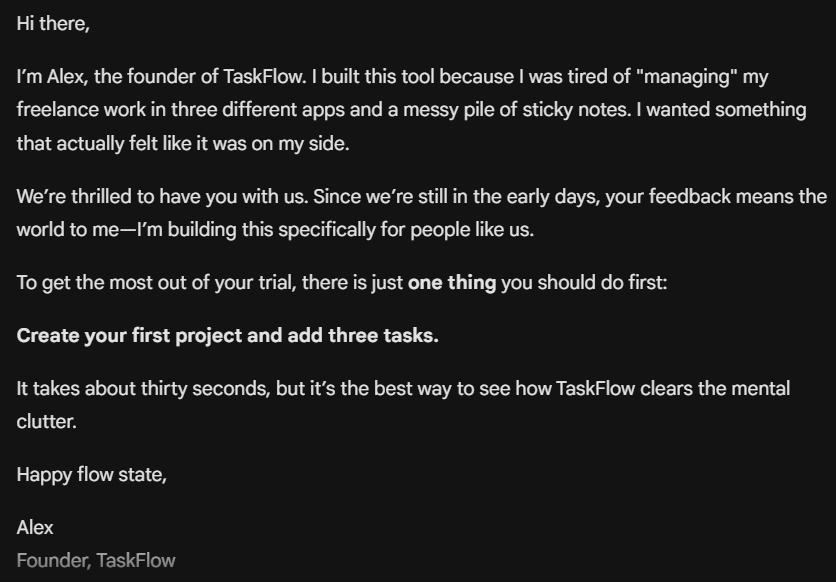
The email felt more natural and more focused. It didn’t just welcome the user — it guided them toward a clear next step.
It also sounded less like a generic SaaS message and more like something a real founder would send.
👉 This shows how much prompt quality actually matters.
so now you can see clearly that the generic part (Chatgpt) is kinda turn off for users while the better one with context (Gemini) makes users in touch with you and that's the main Point.
third attempt: Human Edit
Now let's make a better one and make it more human and personal.
Hey,
I’m Alex, the person behind TaskFlow.
I built this after hitting a breaking point last year — juggling multiple freelance clients across different apps and notes. It was exhausting. I just wanted one place that didn’t feel like work to use.
We’re still early, so your feedback genuinely matters. I’m building this for people like us who just want to focus on their actual work.
If you have 30 seconds today, start here:
Create your first project and add 3 tasks.
It’s the fastest way to feel how TaskFlow clears mental clutter.
Speak soon,
Alex
Founder, TaskFlow
Small edits like this take less than 2 minutes, but completely change how the message feels.
Testing a full onboarding sequence
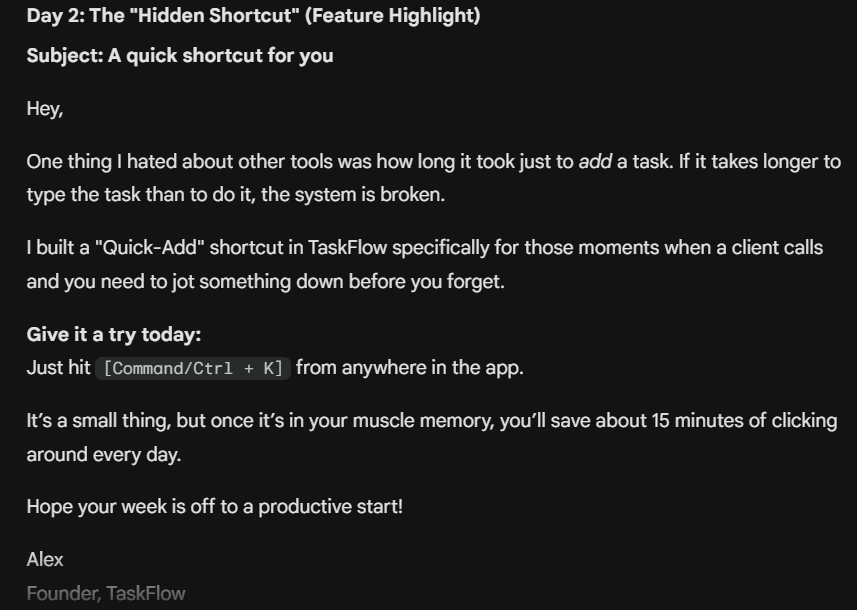
Each email had a clear role:
the first focused on getting started
the second introduced a key feature
the third tried to re-engage inactive users
Day 2 — Feature highlight
Day 5 — Re-engagement
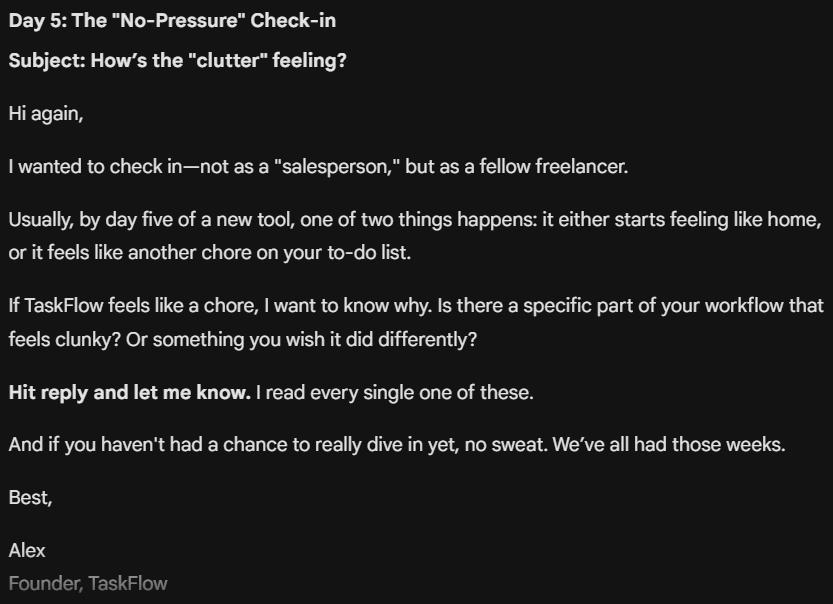
Both emails follow a logical structure, but they still feel somewhat generic.
They do the job — but they don’t create a strong connection with the user.
What this actually shows
AI is not the problem.
The way you use it is.
When you rely on basic prompts, you get generic output — the kind that feels familiar, safe, and easy to ignore.
With better context, the quality improves. The structure becomes clearer, the message more focused.
But the real difference comes from small human edits.
That’s what turns a “correct” email into something that actually connects.
You don’t need to write everything from scratch.
But if you rely entirely on AI, your onboarding will feel like everyone else’s — and your users will treat it the same way.
The goal isn’t to replace your thinking.
It’s to amplify it.
Join smart SaaS builders
Actionable AI tools & workflows — delivered weekly. No fluff. Just what works.
No spam. Unsubscribe anytime.